Advisor conversion to account open high-level flow
Background:
Schwab created an initiative to digitize the experience of transitioning Registered Independent Financial Advisors (RIAs) and their books of business to the Schwab platform by creating a portal (called Schwab Advisor Center Transition Services) where the RIA can manage client data and perform their work tasks faster.
Making the transition to an RIA is very stressful for advisors, due to the time it takes them to convert clients to their new company, and potential legal pitfalls along the way.
The Problem:
Create a fully digital experience that decreases an advisor’s time to open accounts, and look for ways to decrease the number of account open delays.
Explore a high-level way to connect the new advisor portal to the existing Schwab digital account open (DAO) process for advisors. Alter the DAO flow as needed for the best experience.
My role:
Senior User Experience Designer
Collaborated with Senior UX Manager on product requirements
Created user flows and high-level low-fidelity design mockups
Teammates worked with:
Senior UX Manager
Skills used:
Information Architecture | User flows | UX Design
Challenges
Speed – How do we help Advisors work through the flow as quickly as possible?
Data integration – How do we handle integrating existing client data (called a data template) in Advisor Center Transition Services, and combine it into the DAO flow?
Missing data – How do we flag critical errors and missing client data, and differentiate critical data the advisor must fill in, from optional data a client can fill in on their own?
Eliminate redundancy – How can we show enough high-level data template info at the beginning, then show the remaining DAO flow, and eliminate showing redundant data?
Back-end IT limitations – Limitations on the back-end system will affect this flow, like automatically knowing an account is already held at Schwab. How can we still make a great advisor experience?
Step 1: User flow
In order to see how the Schwab Advisor Center Transition Services portal would integrate into the DAO flow, I first created a high-level User Flow outlining all the steps the Advisor has to take from start to finish.
Step 2: Create low-fidelity wireframes
Next, I created low-fidelity wireframes comprised of the Advisor’s following steps:
Select envelope
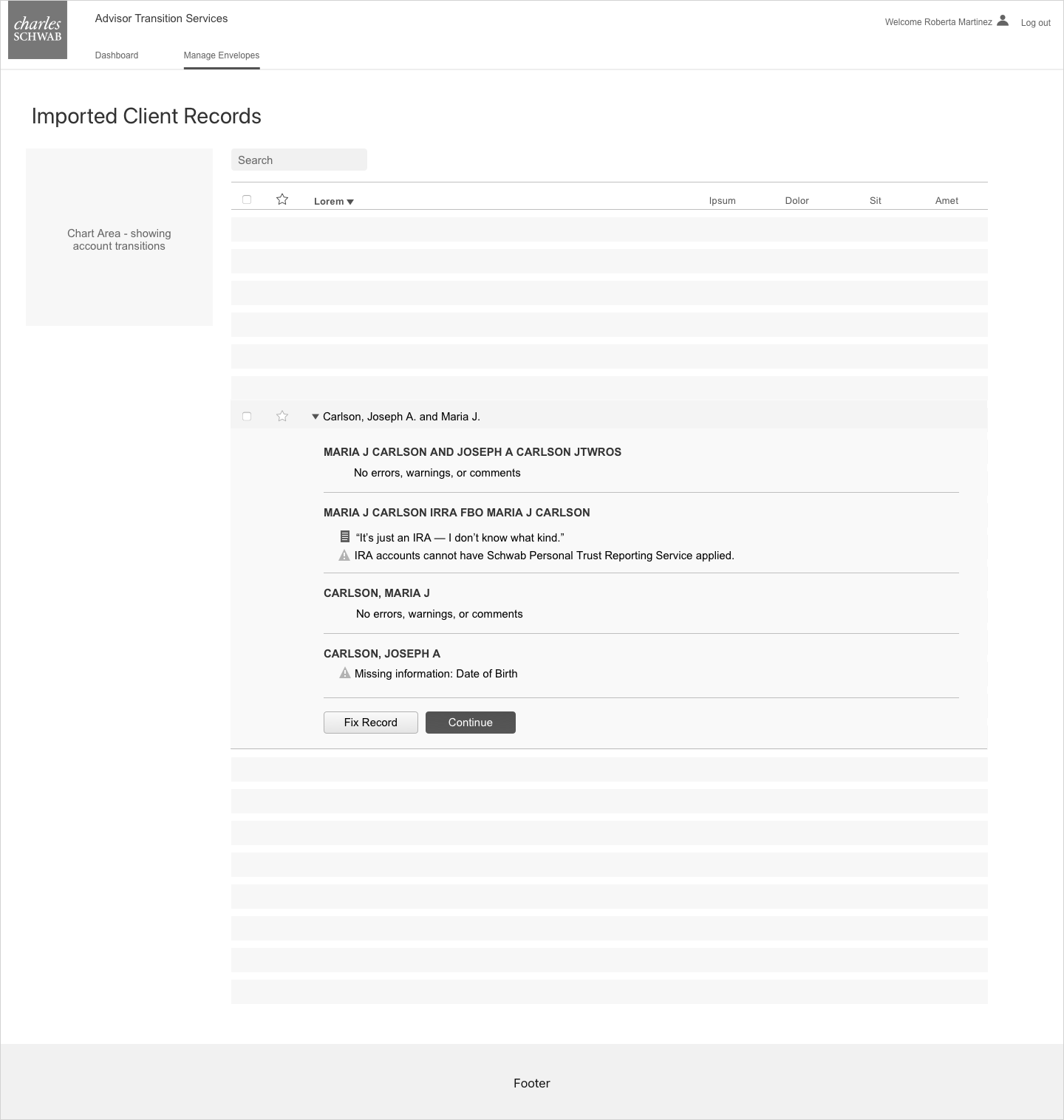
On the “Manage Envelopes: Imported Client Records” screen in the Advisor Transition Services site, the advisor selects one envelope of accounts to open from the list. (An “envelope” is a familiar term to Financial Advisors, describing a bundle of account information for one household.)
Any critical errors or optional-to-fix warnings are shown here so the advisor can fix them before moving to the next step. If the advisor doesn’t fix warnings now, either the advisor’s end client will have to fix them when the flow is handed off to them, or the advisor will have to fix right before they submit the envelope to open the accounts, once the client has approved and signed off.
A chart area in the left rail is meant to show the progress of the accounts transitioning.
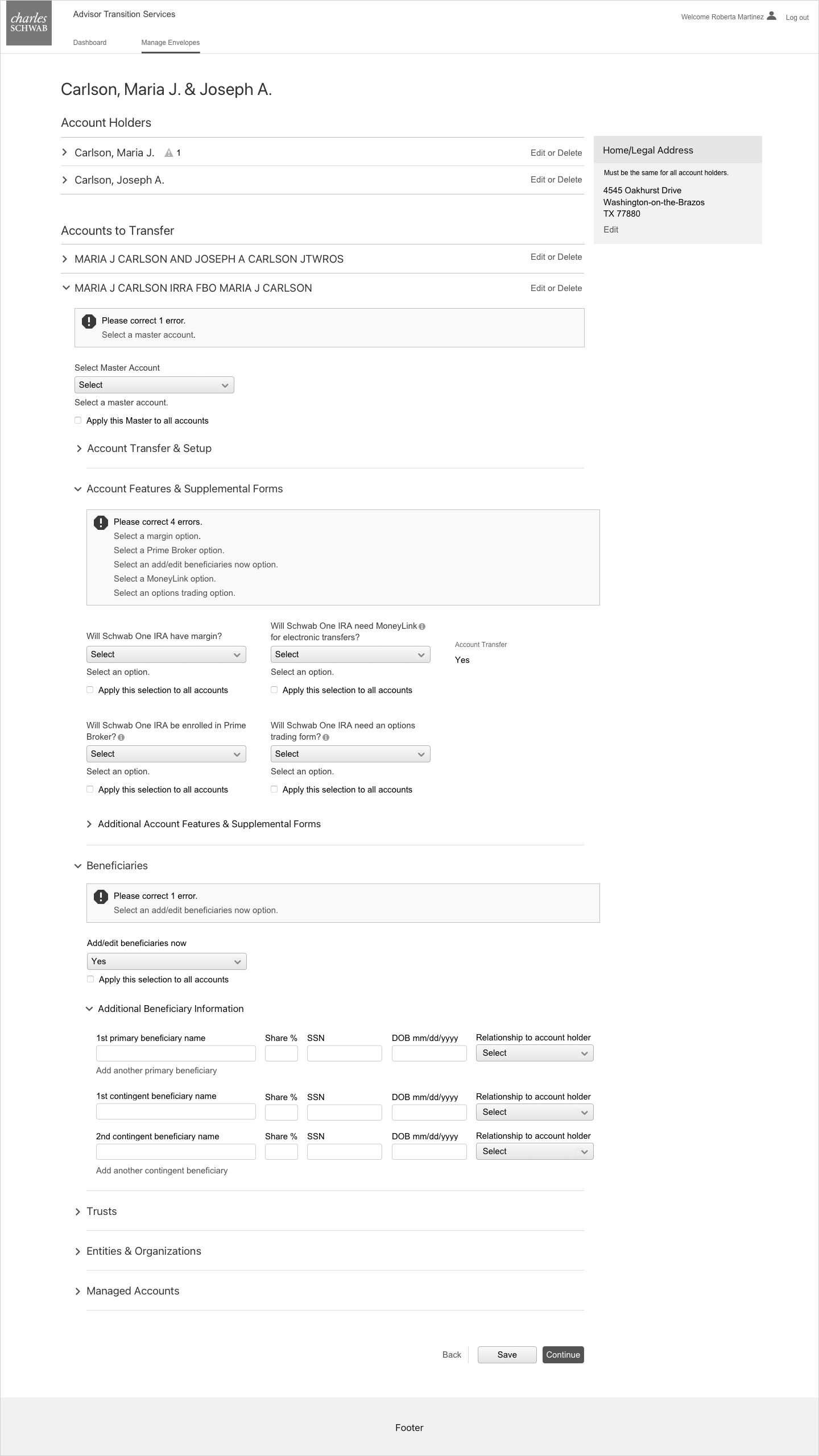
Account holders and accounts to transfer
On the next screen, the advisor sees information related to account holders and accounts to transfer. The advisor needs to fix any additional account holder and account critical errors here that they didn’t fix on the first screen, and can also optionally fix any warnings.
Redirect to Schwab Advisor Center
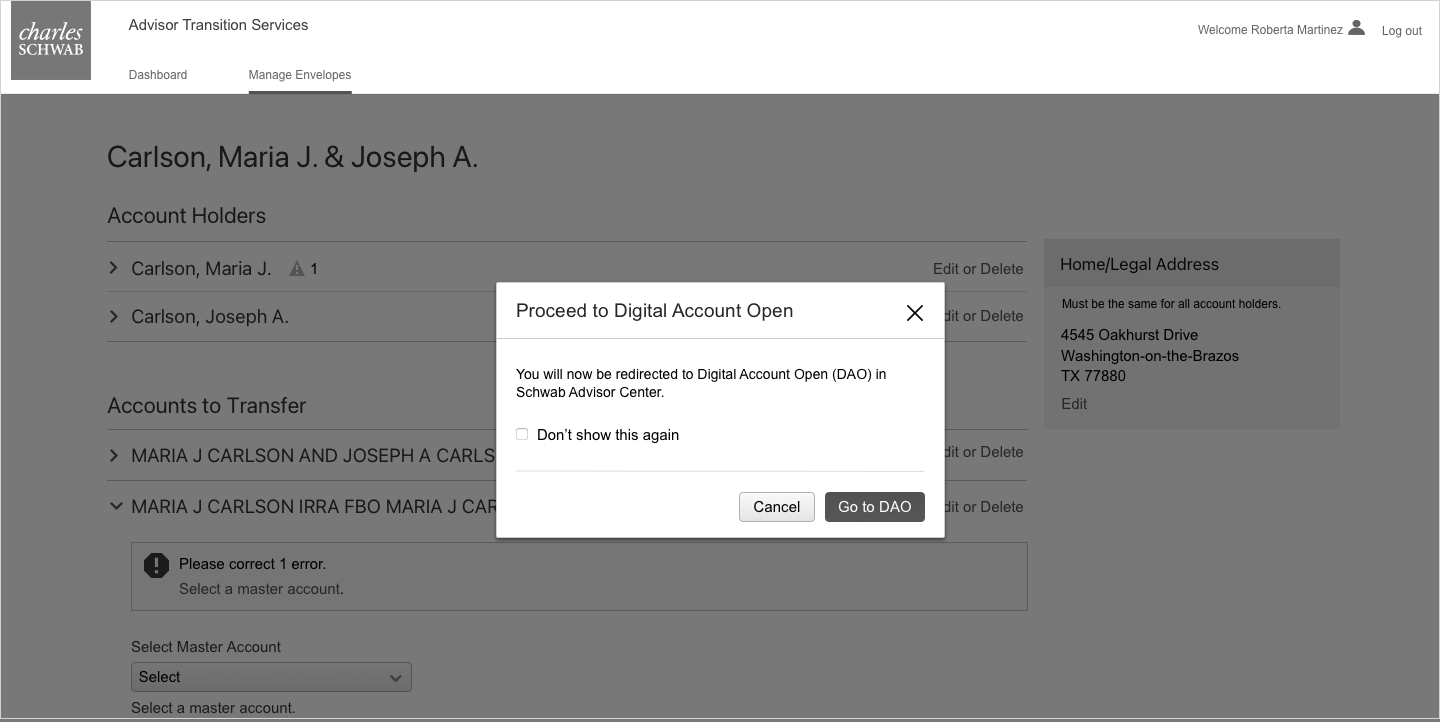
Once the advisor clicks the Continue button, they’re brought out of Advisor Transition Services, and into the Schwab Advisor Center platform. Eventually, the flow would be more seamless if both platforms existed together, but for now they have to be maintained separately.
To lessen disorientation, the advisor sees a modal letting them know they’re now moving in to the SAC and Digital Account Open domain.
Fill in additional information
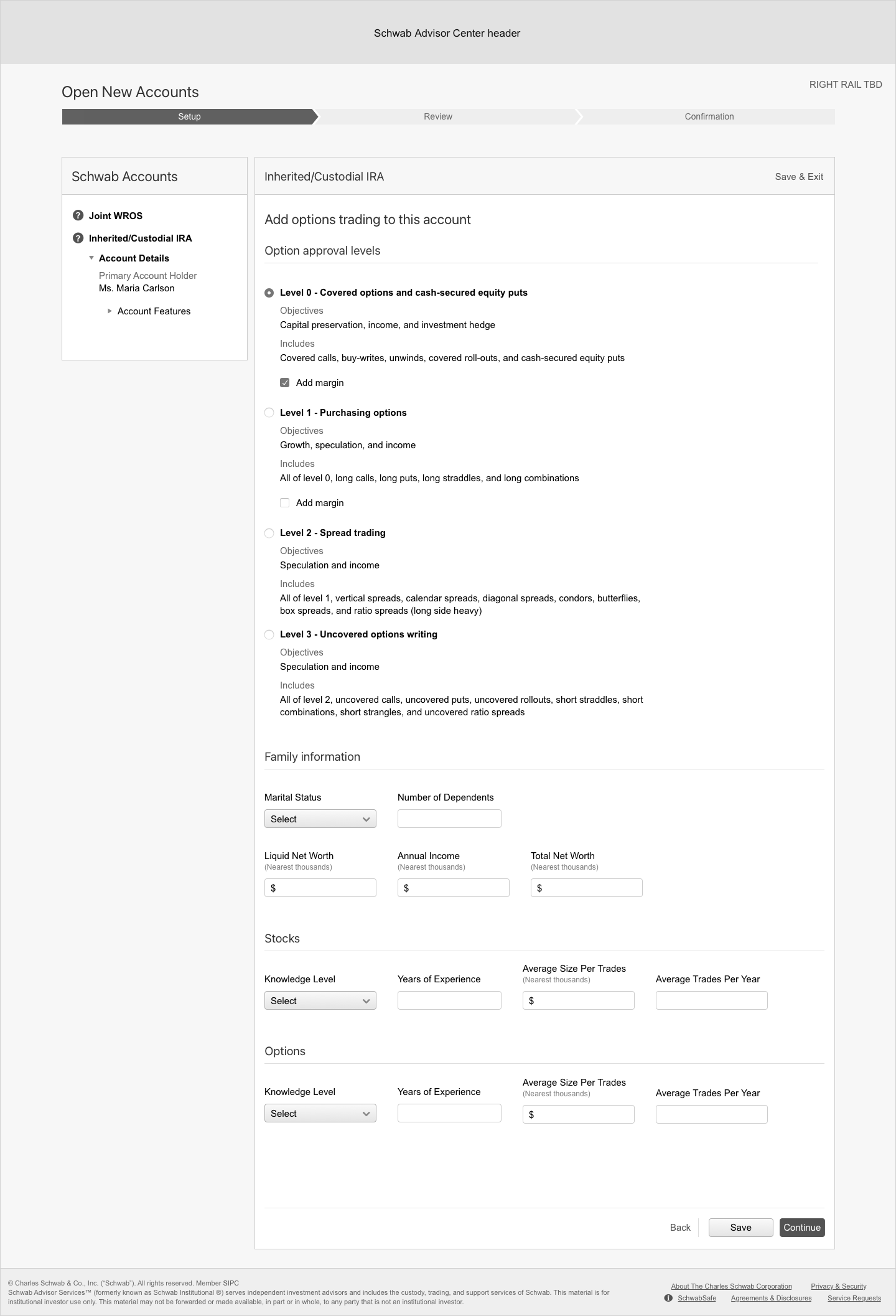
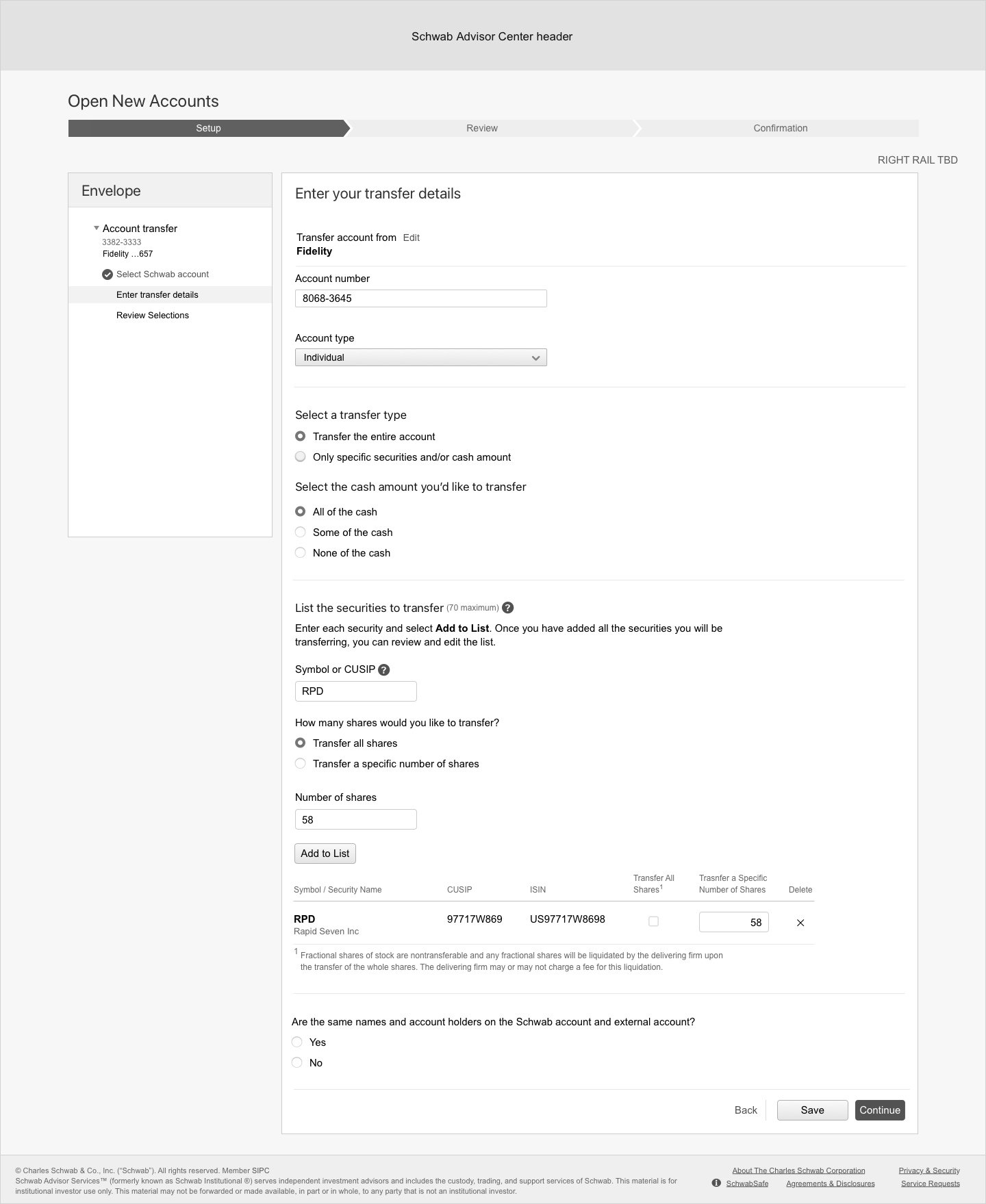
Based on the types of accounts the advisor is opening for their client, there may be additional online forms they need to fill out. Example forms include transfer of account to Schwab, linking accounts to an external account, trading options, etc.
Below is an example of one of these optional forms - an options trading form
Changing left rail
In the current Digital Account Open experience, the left rail changes when going from the options trading form to the account transfer form. This is disorienting and should be revised to be easier for advisors to navigate. In this first round of mockups, I wanted to show the changing left rail to highlight the need to make it more intuitive, as doing so requires buy-in from cross-functional teams like Product and Engineering / Development.
Review the envelope
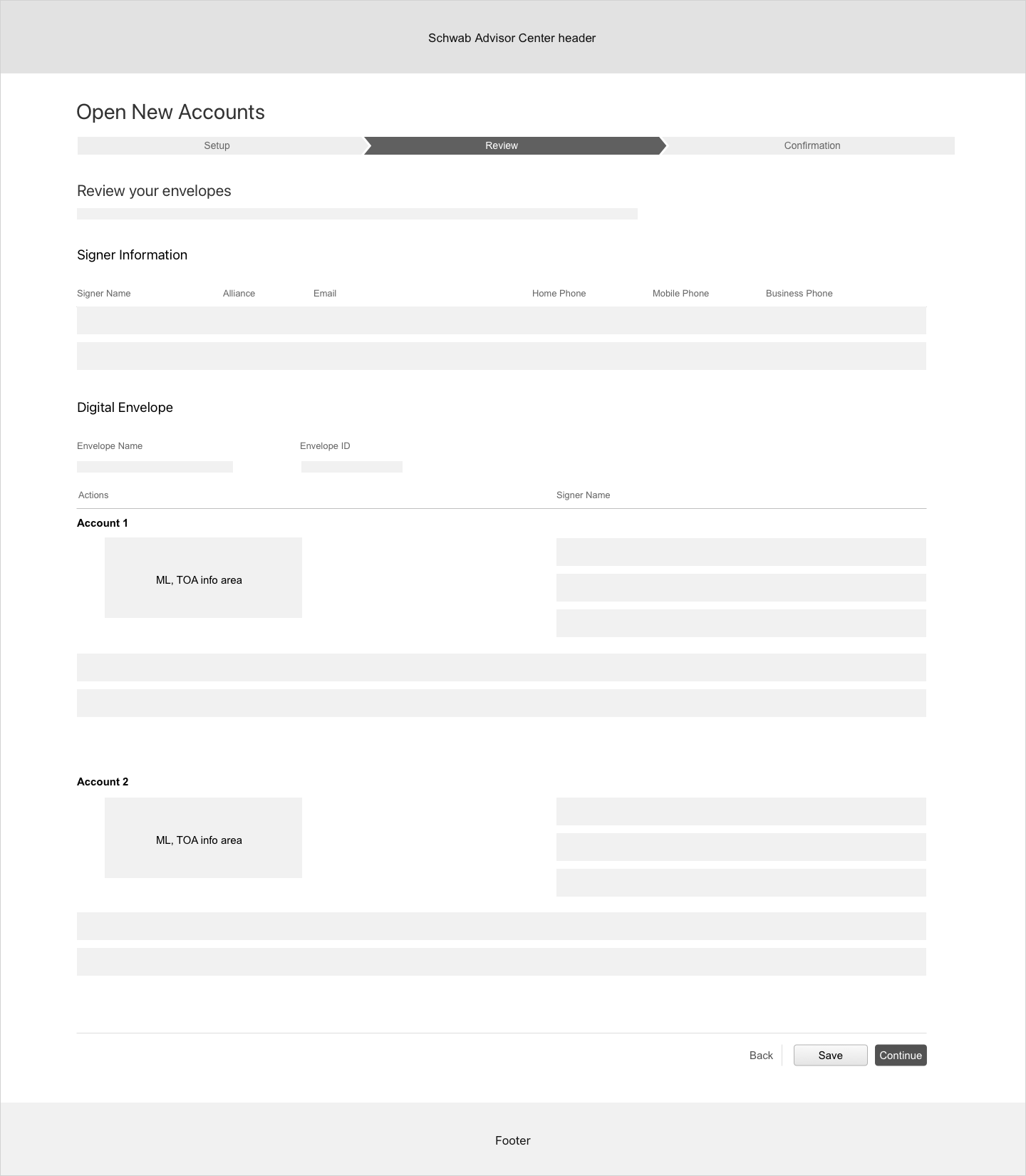
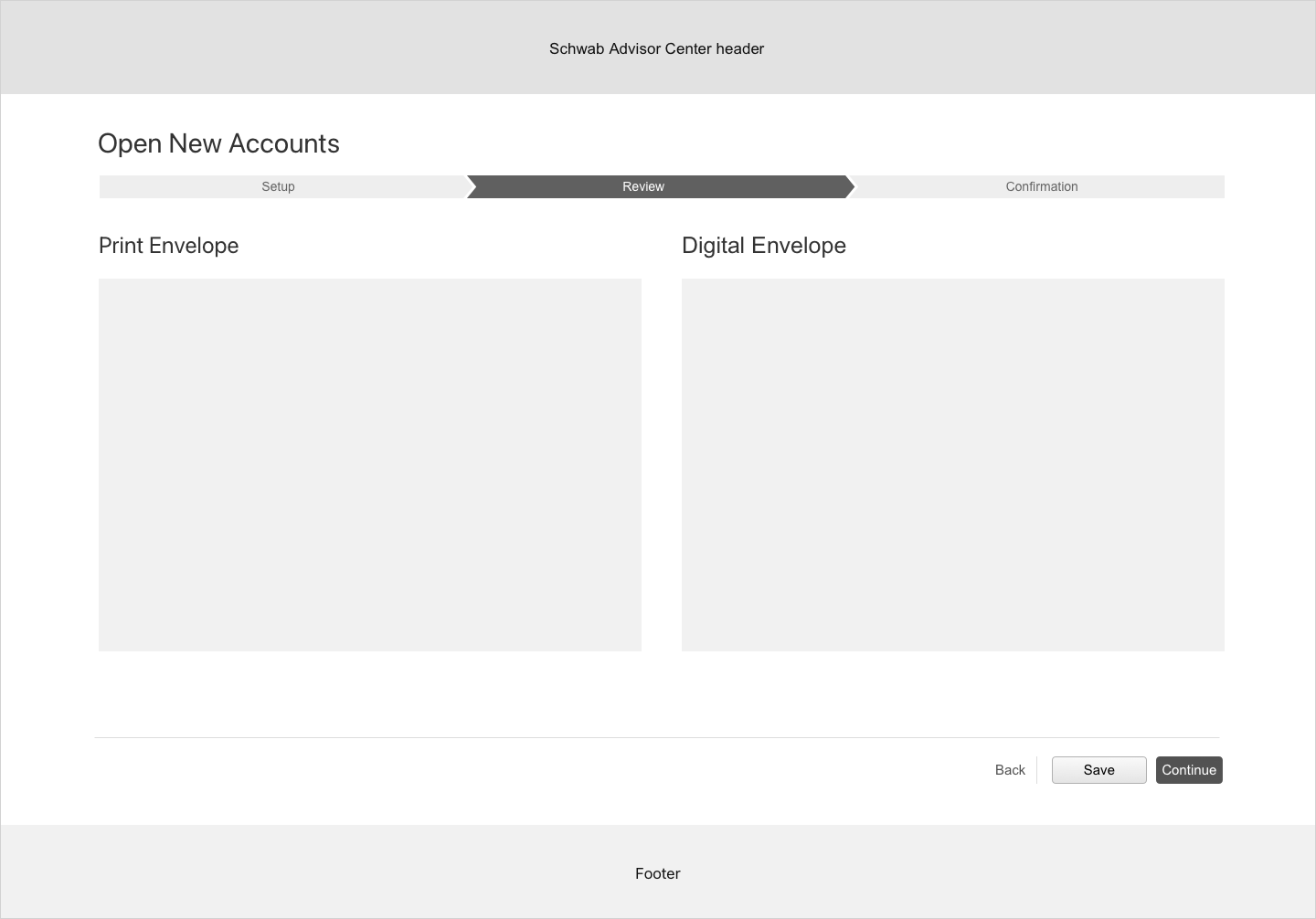
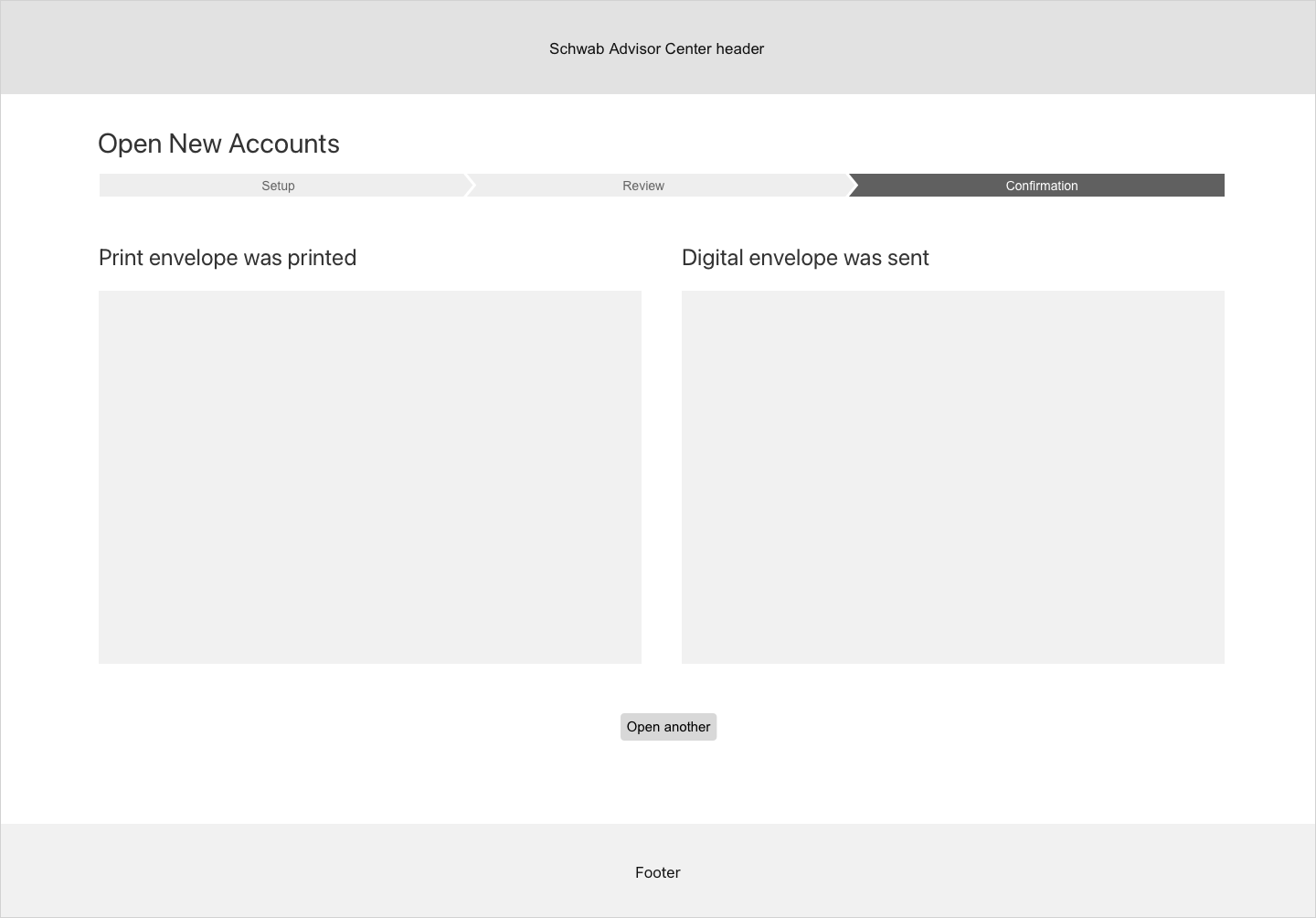
Once additional forms are filled in, the advisor reviews everything contained in the envelope before it gets sent to their end client to review and / or edit. The next three screens shows this process through to client send-off.
Step 3: Design revisions
Several key issues came to light as a result of looking at the first round of mockups:
Is there a way we can set the advisor’s expectations for how the digital account open process will go at the beginning of the flow?
The setup process is too complex to include everything in a single screen. Is there a way to chunk the information out better to lessen cognitive load?
Fixing critical errors from the data template is extremely important to proceed through the flow. How can we make it as apparent as possible that this is one of the most important things that needs to be done?
DAO has a left rail advisors refer to as they go through the account open process. Is there a way to add it to the Advisor Transition Services process? And, can we keep it consistent throughout the whole flow?
Several additional rounds of mockups were created before landing on a flow that met the above criteria.
Final user flow
The final round of low-fidelity mockups addressed the bulleted issues above. Additionally, the Advisor Transition Services tool was able to be included with the Schwab Advisor Center website, making for easier navigation of both experiences in one space - a huge win from an information architecture and back-end systems perspective.
Before additional mockups were created, a new user flow was established. The biggest change was moving several of the first screens from the Advisor transition services experience to the Schwab Advisor Center DAO experience:
Final low-fidelity mockups
On the first screen, Manage Envelopes, critical errors and warnings were taken out so that the first screen of the Digital Account Open flow contained them in one consolidated place, making them easier to see and fix.
To make creating the mockups faster, grey boxes were used to represent the granular data from the first round of mockups:
List of steps
The next screen was a new addition and shows a list of steps, setting the advisor’s expectations. Once the advisor sees this list and doesn’t need more reminders for subsequent envelopes, they can select the “Do not show this message again” checkbox to skip directly to the next screen, but this screen helps the first-time advisor coming to this experience.
This screen also contains the message about being directed to Schwab Advisor Center, cancelling the need for a separate modal window message:
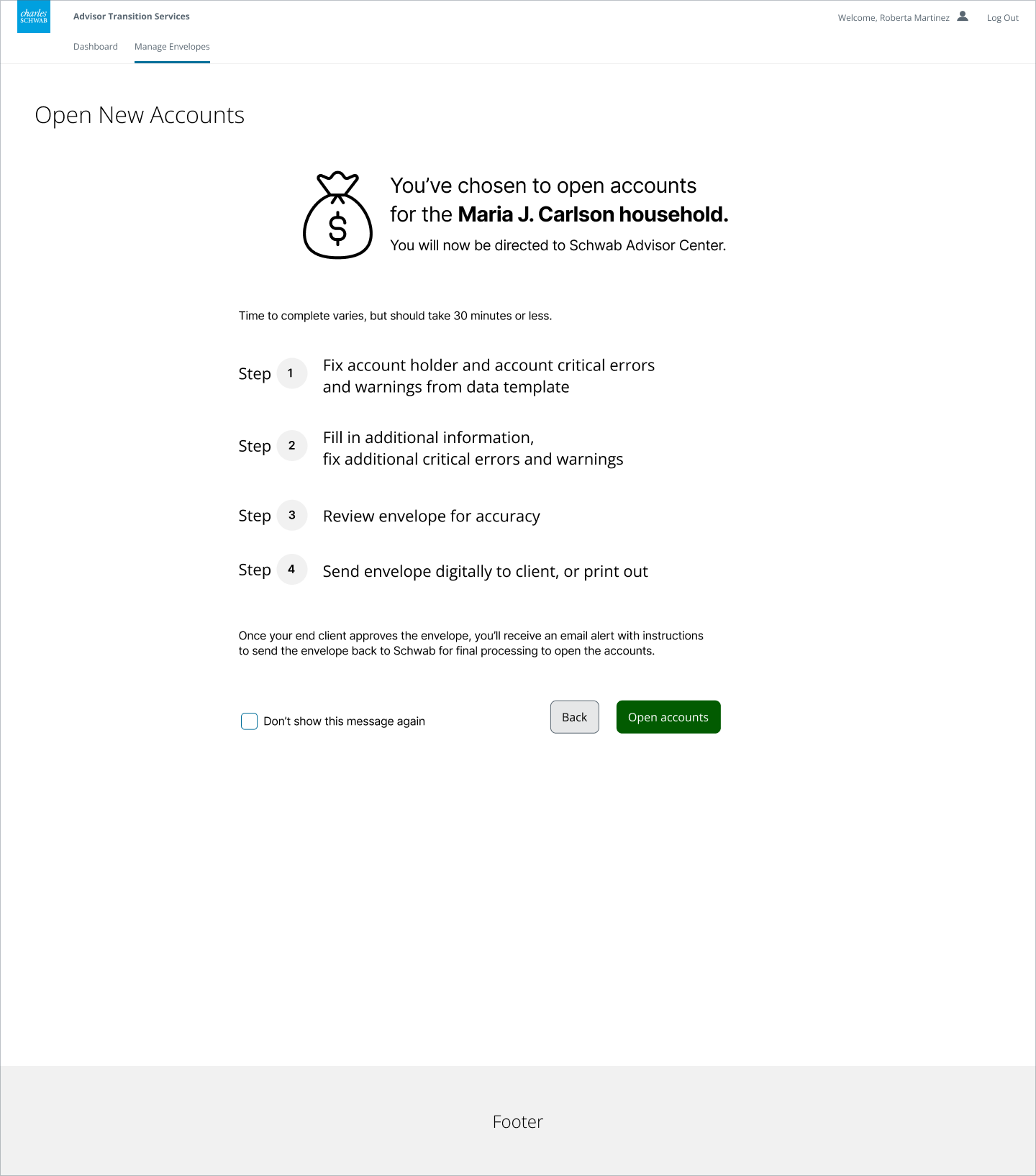
Open new accounts home screen
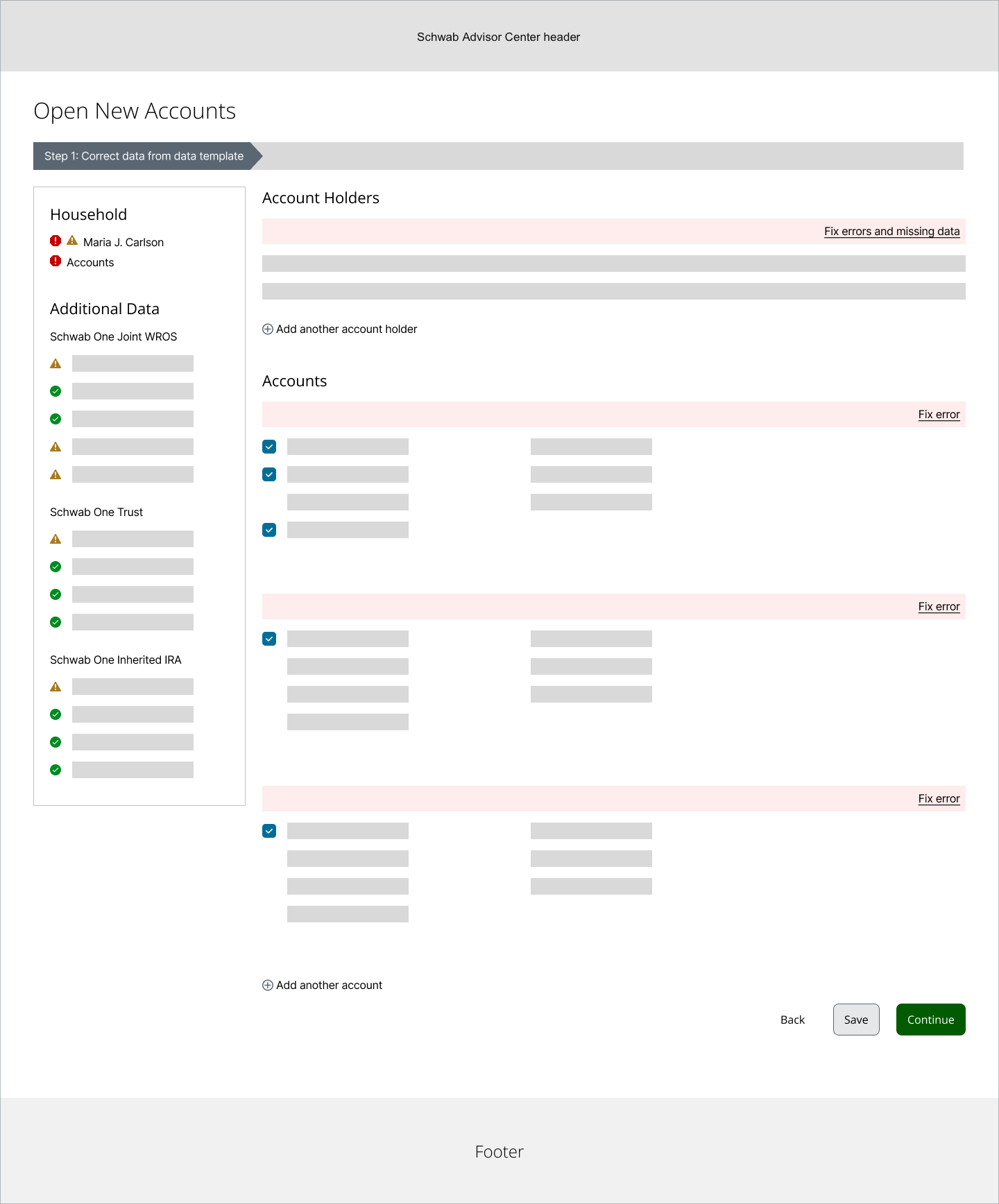
Once the advisor clicks the Open accounts button and is in a specific envelope, they see a summary of all account holder and account information. The first thing they need to do is fix account holder and account critical errors and warnings brought in from the data template, as well as any additional required information on this screen.
Notice that all critical errors and warnings are consolidated for easy discovery and anchoring at the top of the screen. There is also a link to view a summary of all errors and missing data, for easy reference.
The left rail also consolidates all household and additional information in one easy-to-find place.
From here, the advisor can see options for each account at a glance, and can check or uncheck as needed, applying options to all accounts the same way as in the first round of mockups.
Fill in additional information
These next screens maintain the left rail introduced on the prior screen.
In the body area, clear “Optional” text appears in the title, and descriptive text below explains that the advisor may skip forms that don’t pertain to the account.
Review the envelope
The review envelope screens remain the same as in the first round. The advisor sends the envelope digitally to their end client, or prints it out to deliver to the client via mail or in person.
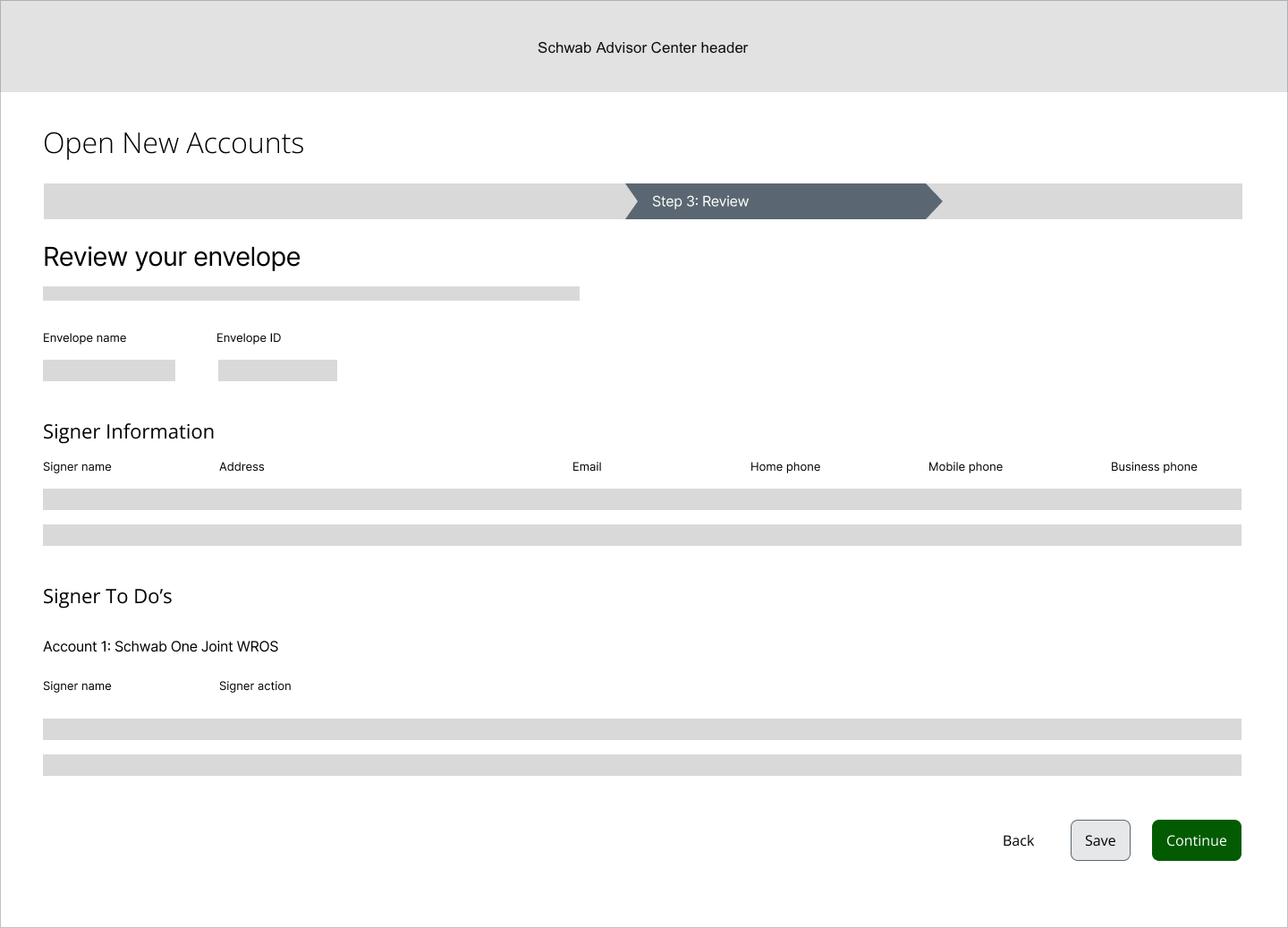
Confirmation
A final confirmation screen that their end client will receive the envelope for review / editing is now included to set expectations about next steps.
View final Advisor conversion to DAO prototype
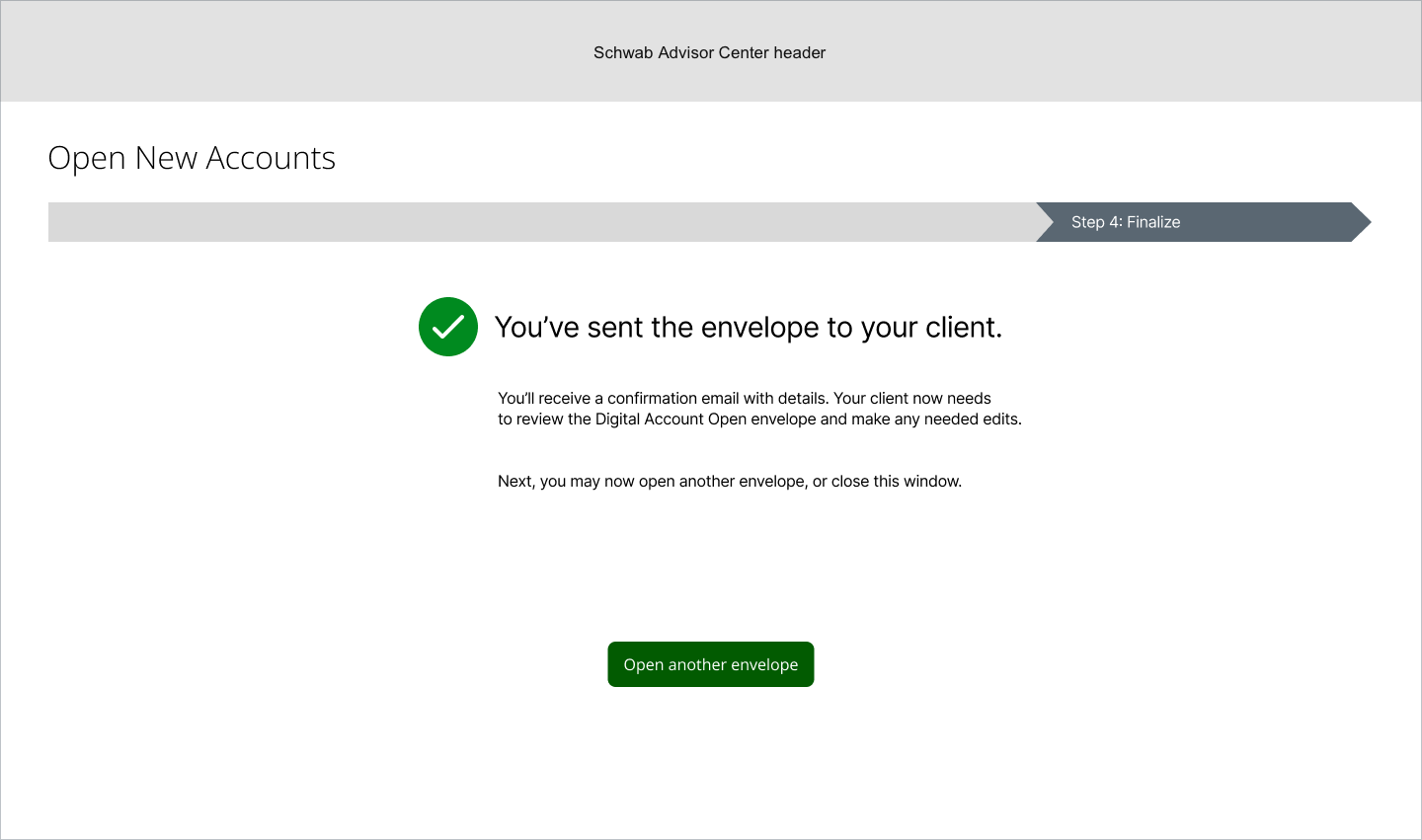
Secondary flow – Add another account
Advisors may add additional accounts for their clients while they go through the account open process.
The screens below show this experience, starting from the first step of the process: Correct data from data template.
Add another account - start of flow
From the Open New Accounts home screen, advisors can add more accounts to the existing envelope by clicking the “Add another account” link at the bottom of the Accounts area.
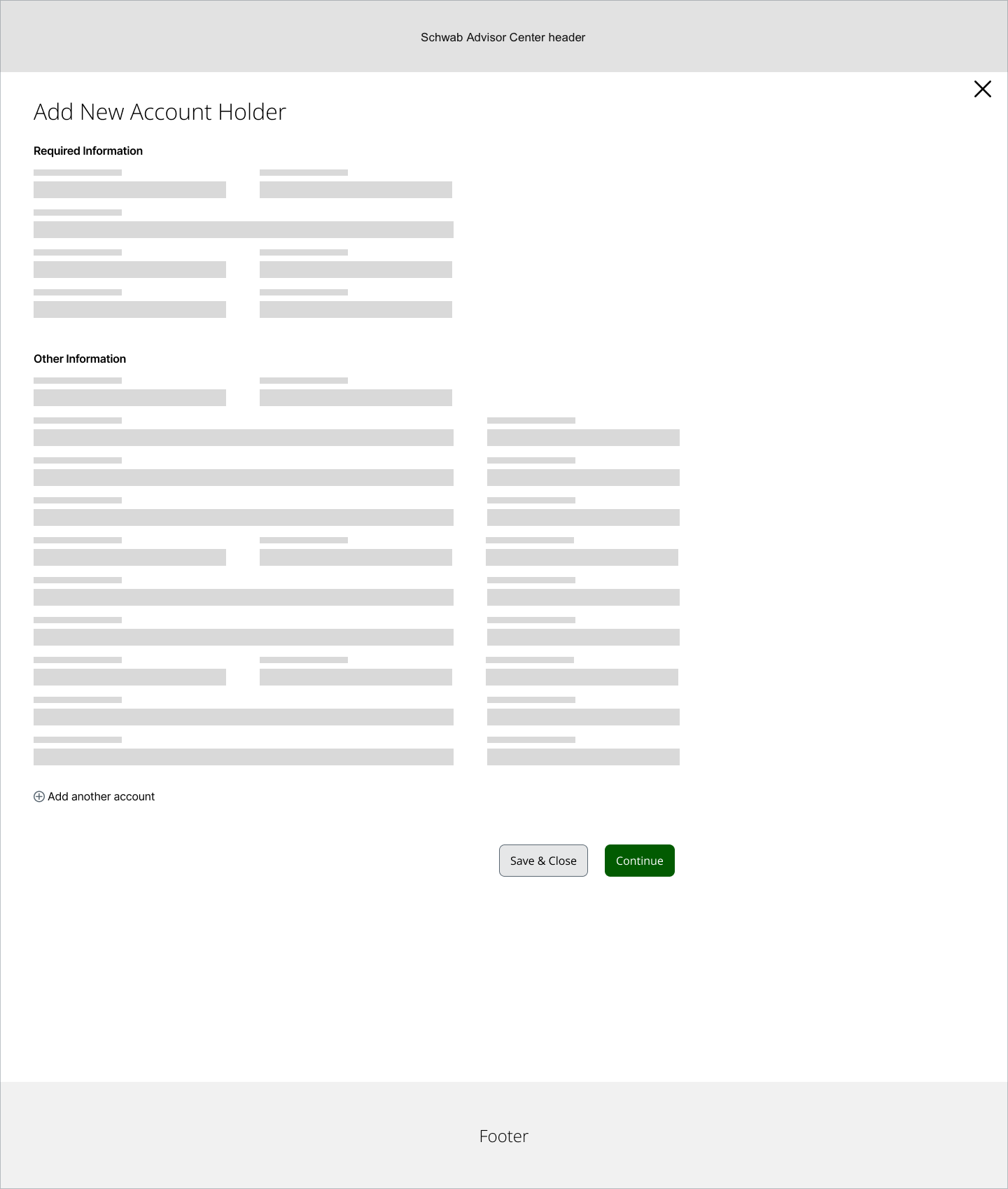
Add another account - add new account holder
Once the advisor clicks the “Add another account” link, they’re taken to a modal overlay where they can first add both required and optional account holder information into form fields.
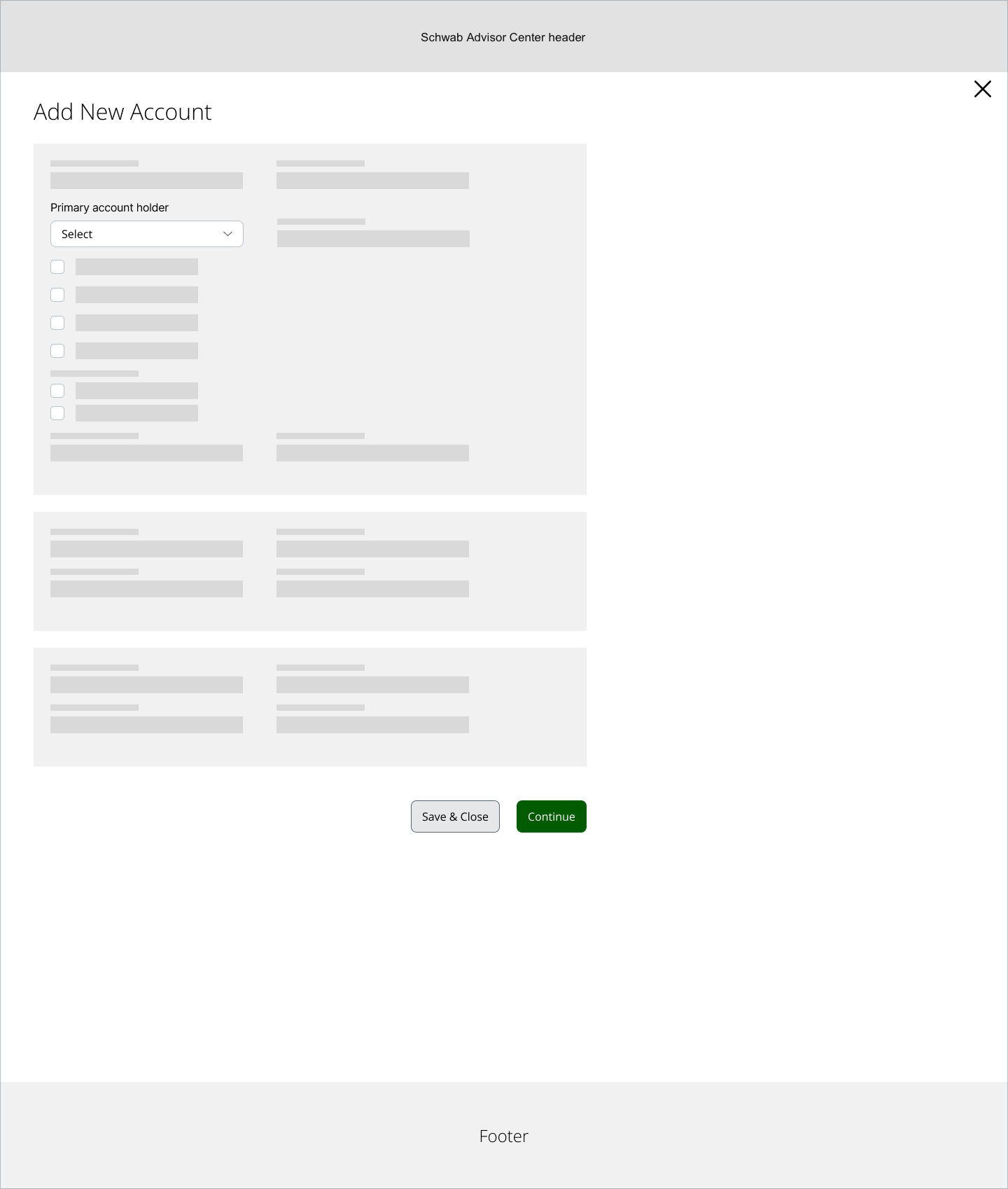
Add another account - add new account
Once they’ve entered all the new account holder information, the advisor is taken to a screen where they need to enter specific account information. An expanded view is shown as an example of the types of form fields the advisor needs to fill out on this screen.
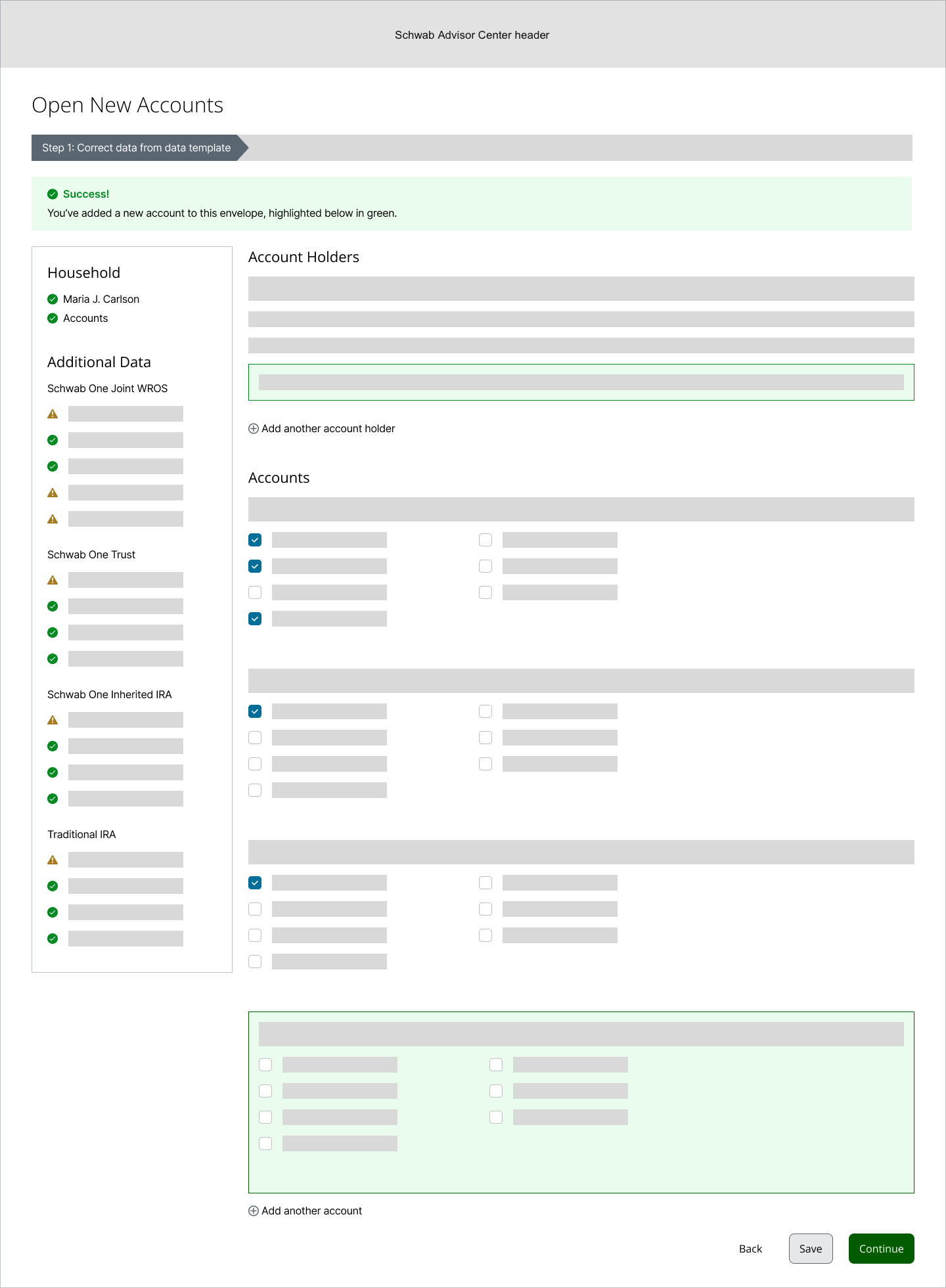
Success - new account added to envelope
As long as no other errors are made or encountered, the advisor clicks the Continue button, and is taken to an updated version of the Open New Accounts screen, where they see a success message at the top confirming they’ve successfully filled in the information to open the account. The newly populated content is highlighted in green in the body of the screen.
From here, they can continue to add more account holders or more accounts as needed, or click the Continue button to advance to the next screen in the flow.
Summary
Before I could follow the project through to final mockups and prototype, Schwab had a company reorganization, and I was moved on to another new project. The advisor conversion to DAO process continued on with iterative testing and design, and eventually launched 2020-2021.
This project was a great example of how shifting business requirements and priorities impact what gets worked on and how. We had several stops and starts, and when this project was finally prioritized and funded, some of the requirements had changed from what they’d been initially, in many ways for the better. We went through several low-fidelity iterations of the flow as shown above, before landing upon an intuitive, step-by-step process to limit user cognitive load and provide a predictable experience to the advisor for what otherwise is a complex process.
Today, having a fully digital START to DAO process saves the equivalent of 2 ½ trees’ worth of paper for
a whole advisor’s book of business! I’m proud to have been involved in a complex, B2B project that both helps sustain our advisors’ clientele, as well as our planet.